
See everything in one precise workspace.
Scan rows, sort fields, and update detailed records without losing the bigger picture.
Ideal for operations teams that need filtering, structured data entry, and confidence across many fields.

Structured tables, flexible views, role-based access, and 38+ field types — no code needed, no engineer required.
38+
Field types
3
View layouts
5
Core features
Zero
Code required
01
Tables
Tables are the starting point for registers, sales tracking, collections, attendance, approvals, inventory, and internal operations.
Build a table around a real business process instead of a rigid template
Keep records organised with statuses, owners, dates, and files
Scale from solo workflows to team-managed systems
02
Column types
Column types are what turn free-form entries into reliable operational data. That makes filtering, grouping, and reporting much easier later.
Use 30+ field types including text, amount, date, dropdown, attachment, and more
Reduce messy records by matching each field to the job it needs to do
Make tables easier for teams to update consistently
03
Permissions and custom roles
As teams grow, not everyone should be able to edit, export, approve, or manage everything. Recordbook lets you shape access around actual responsibilities.
Separate viewers, operators, managers, and admins
Reduce accidental edits and process breakdowns
Keep collaboration high without losing control
04
Teammates
Teammates make shared workflows practical. Everyone works from the same records, but with role-aware access and clearer ownership.
Invite teams on Business plans
Coordinate handoffs and responsibilities inside one system
Keep updates visible without duplicating work
05
Custom home page
A custom home page gives teams a focused starting point with priority tables, recent activity, shortcuts, and the information they need first.
Surface the most-used tables for each workflow
Highlight the actions and updates that matter most
Reduce friction at the start of every workday
Multiple views
Switch between Table, Kanban, and List views in one click. Every view reads from the same data — no duplication, no sync issues.
Scan rows, sort fields, and update detailed records without losing the bigger picture.
Ideal for operations teams that need filtering, structured data entry, and confidence across many fields.
Track what is blocked, what is moving, and what needs attention without reading every field.
Ideal for approvals, sales workflows, fulfillment, and any process where stage visibility matters most.

Use a compact layout when the goal is fast review, quick action, and minimal visual overhead.
Ideal for field teams, queues, checklist-style workflows, and day-to-day execution.
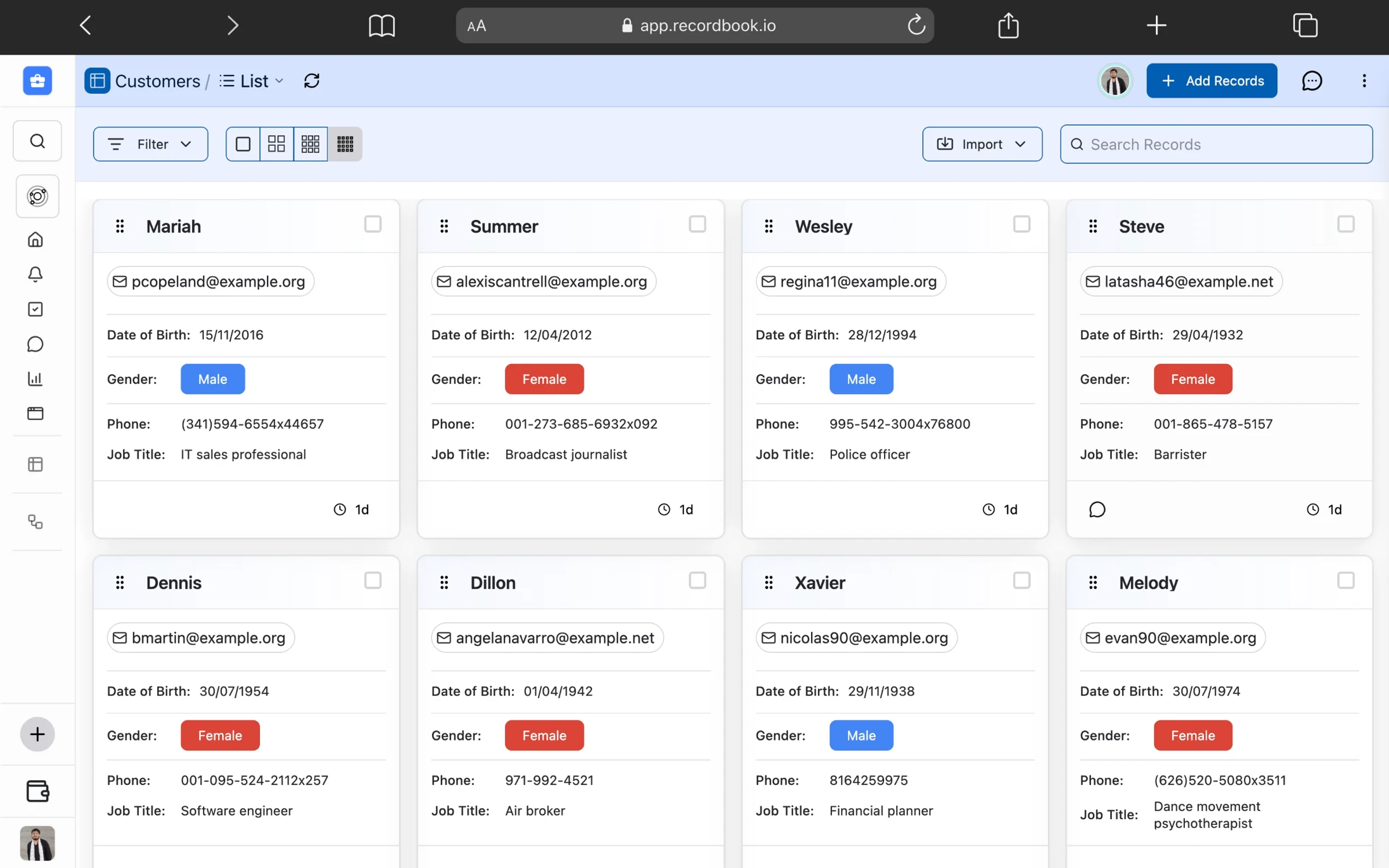
Scan rows, sort fields, and update detailed records without losing the bigger picture.
Ideal for operations teams that need filtering, structured data entry, and confidence across many fields.
Track what is blocked, what is moving, and what needs attention without reading every field.
Ideal for approvals, sales workflows, fulfillment, and any process where stage visibility matters most.
Use a compact layout when the goal is fast review, quick action, and minimal visual overhead.
Ideal for field teams, queues, checklist-style workflows, and day-to-day execution.


Field types
Every column type is purpose-built so data stays clean and structured from the moment it's entered.
Not everyone should see or change everything. Assign roles per workspace to control exactly what each teammate can do.
Owner
Full access to all tables, records, settings, and teammates.
Editor
Can work with data across tables without touching settings.
Viewer
Read-only access. Ideal for clients, approvers, and observers.
Custom Roles
Beyond Owner, Editor, and Viewer — create your own roles with a name and a precise permission set. Define exactly which tables a role can access, whether they can add records, edit fields, or only view specific columns.
Your journey to financial freedom starts here. Download Finwise today and take the first step towards a brighter financial future!